 Antoine Deschênes
9876bb2bd9
Antoine Deschênes
9876bb2bd9
The TLS connection state lived on the shared POP3 Server, and Session
reached it through its embedded *Server.  Once any client completed
STLS, every later session saw a non-nil state: CAPA stopped advertising
STLS and the STLS command returned "-ERR A TLS session already agreed
upon." until the server restarted.  Sessions also wrote the shared field
concurrently without synchronization.

Move tlsState to Session.  ForceTLS sessions set it when the session
starts, and STLS sets it on the negotiating session only.

TestSTLSPerSession runs CAPA, STLS and a TLS handshake on two sessions of
one server; it fails against the previous code on the second session.

Signed-off-by: Antoine Deschênes <antoine@antoinedeschenes.com>
Co-authored-by: Claude Opus 5.5 <noreply@anthropic.com>


Inbucket
Inbucket is an email testing service; it will accept messages for any email address and make them available via web, REST and POP3 interfaces. Once compiled, Inbucket does not have any external dependencies - HTTP, SMTP, POP3 and storage are all built in.
A Go client for the REST API is available in
github.com/inbucket/inbucket/pkg/rest/client - Go API docs
Read more at the Inbucket Website
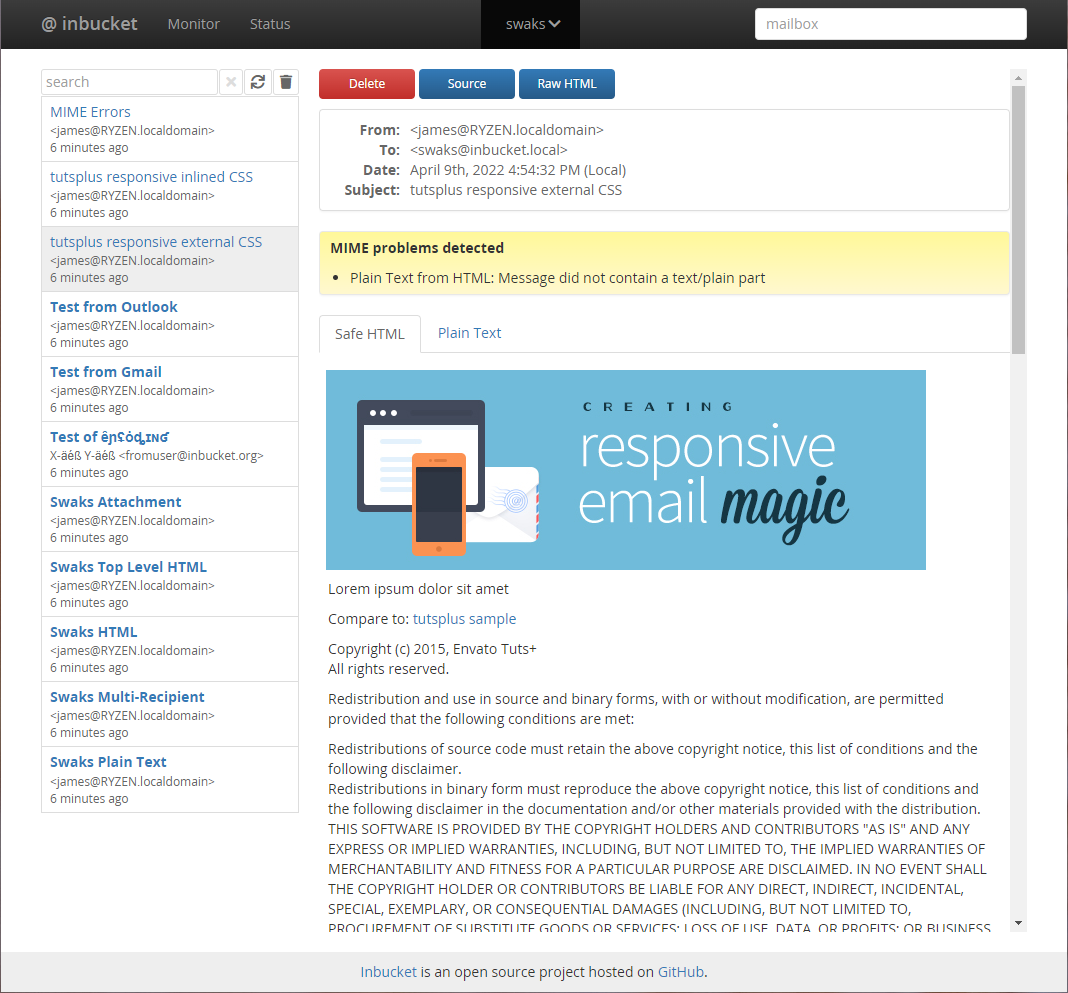
Development Status
Inbucket is currently production quality: it is being used for real work.
Please see the Change Log and Issues List for more details. If you'd like to contribute code to the project check out CONTRIBUTING.md.
Docker
Inbucket has automated Docker Image builds via Docker Hub. The latest tag
tracks our tagged releases, and edge tracks our potentially unstable
main branch.
Start the docker image by running:
docker run -d --name inbucket -p 9000:9000 -p 2500:2500 -p 1100:1100 inbucket/inbucket
Then point your browser to localhost:9000
Building from Source
You will need functioning Go and Node.js installations for this to work.
git clone https://github.com/inbucket/inbucket.git
cd inbucket/ui
yarn install
yarn build
cd ..
go build ./cmd/inbucket
For more information on building and development flows, check out the Development Quickstart page of our wiki.
Configure and Launch
Inbucket reads its configuration from environment variables, but comes with reasonable defaults built-in. It should work on most Unix and OS X machines as is. Launch the daemon:
./inbucket
By default the SMTP server will be listening on localhost port 2500 and the web interface will be available at localhost:9000.
See doc/config.md for more information on configuring Inbucket, but you will likely find the Configurator tool the easiest way to generate a configuration.
About
Inbucket is written in Go and Elm.
Inbucket is open source software released under the MIT License. The latest version can be found at https://github.com/inbucket/inbucket